Walkthrough: a real example, end to end
This ties the whole plane together with one concrete scenario. We'll govern a small MCP server that manages car reservations (car-db-ops, from the AGP demos), give an agent read-only access, and then watch what happens when it tries to delete something.
Assumes you've finished Get Started: the stack is running and the console is open at http://localhost:27868.
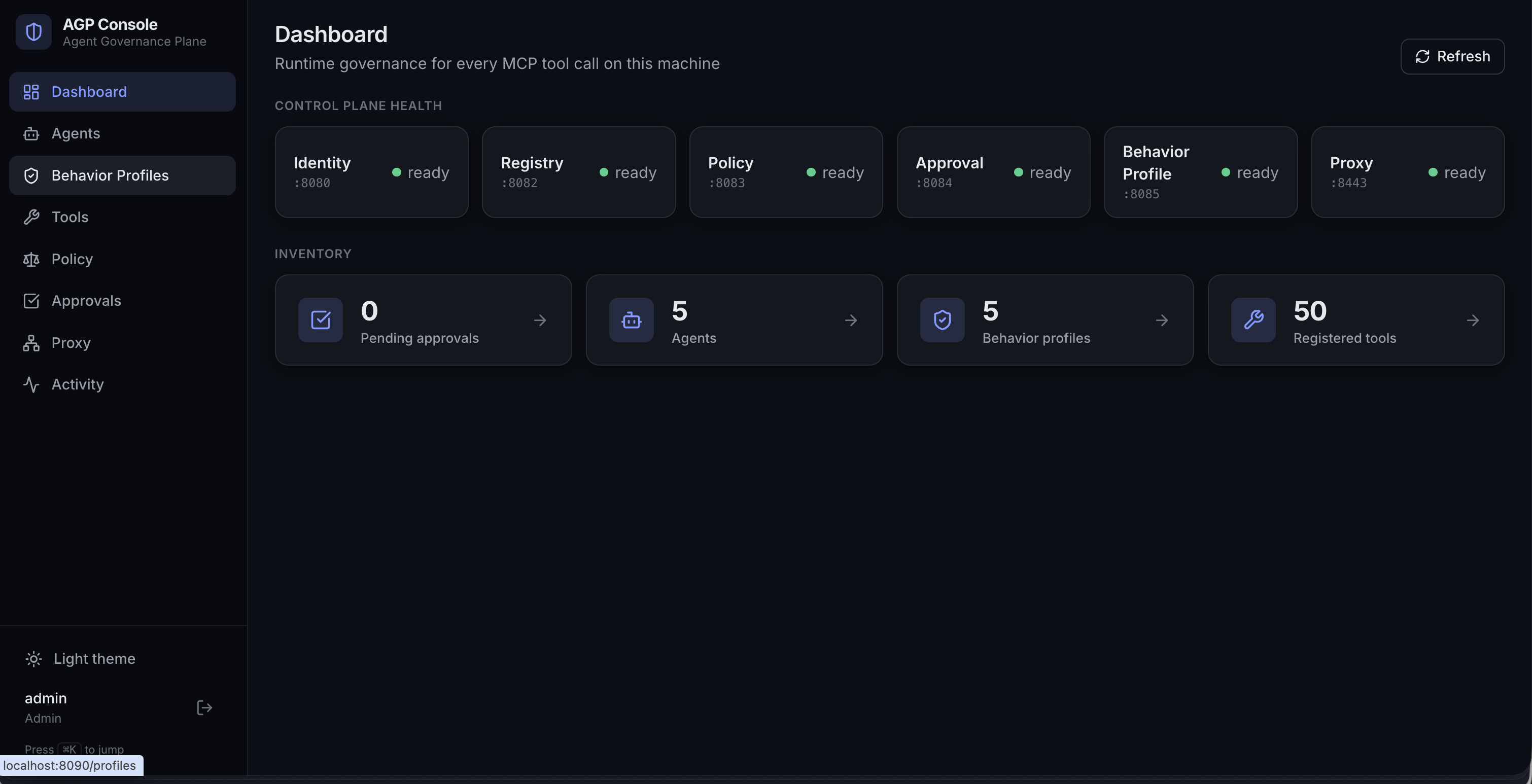
1. Confirm the plane is healthy
Open the Dashboard. This is control-plane health and inventory at a glance — every service up and ready before you govern anything.
2. Register the MCP server
Bring the server's tools into the catalog. From the CLI:
agp registry register-server \
  --backend-url http://localhost:8010/mcp \
  --server-alias car-db-ops \
  --team-id <team-uuid> \
  --all-new \
  --category database
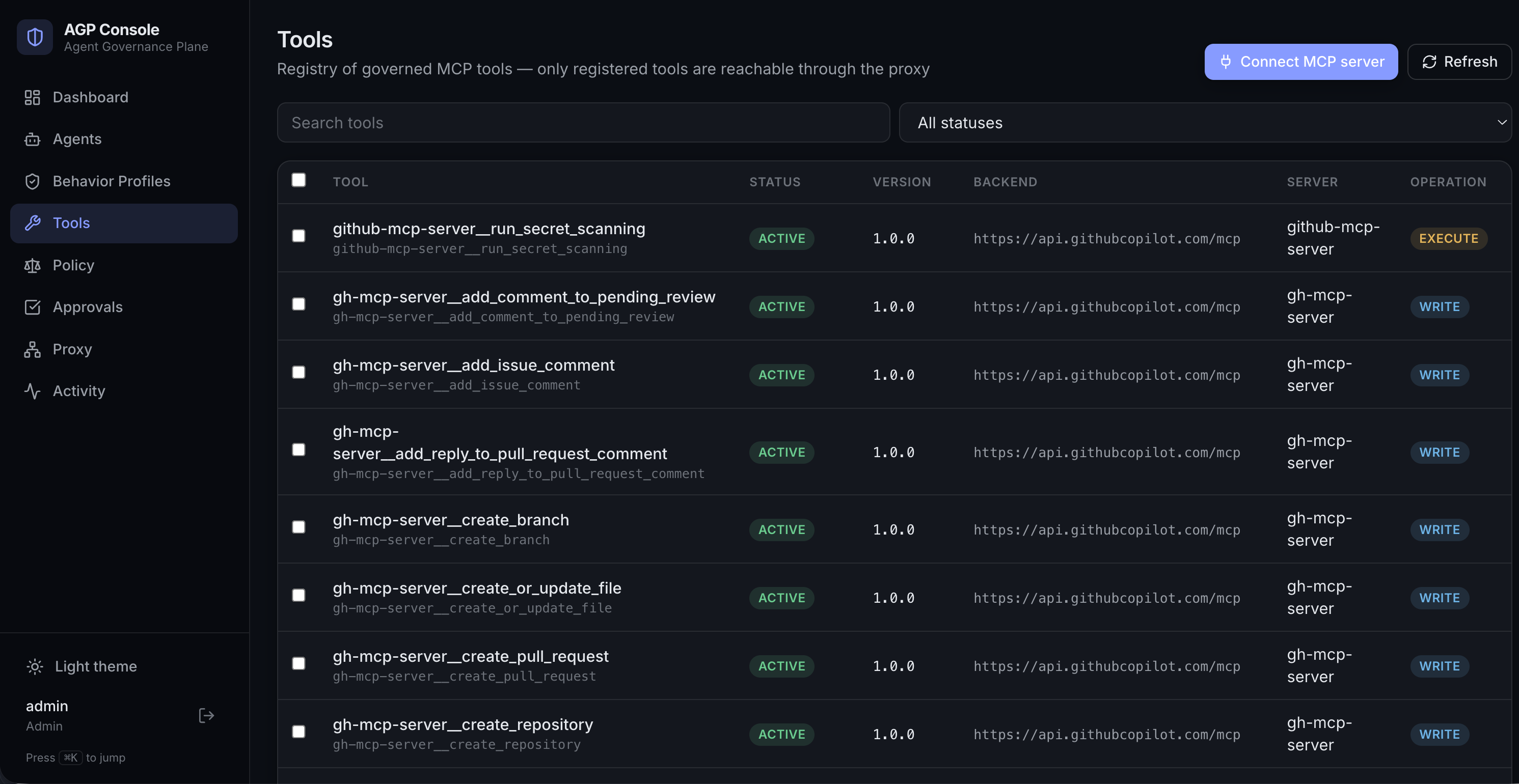
Now the Tools view shows the governed catalog: each tool with its backend, version, and the operation facts (read / write / delete) that policy reasons over. Note how list-reservations is a read while delete-reservation is a delete — that distinction drives everything that follows.
See Govern your first MCP server for the discovery/registration details.
3. Your agent
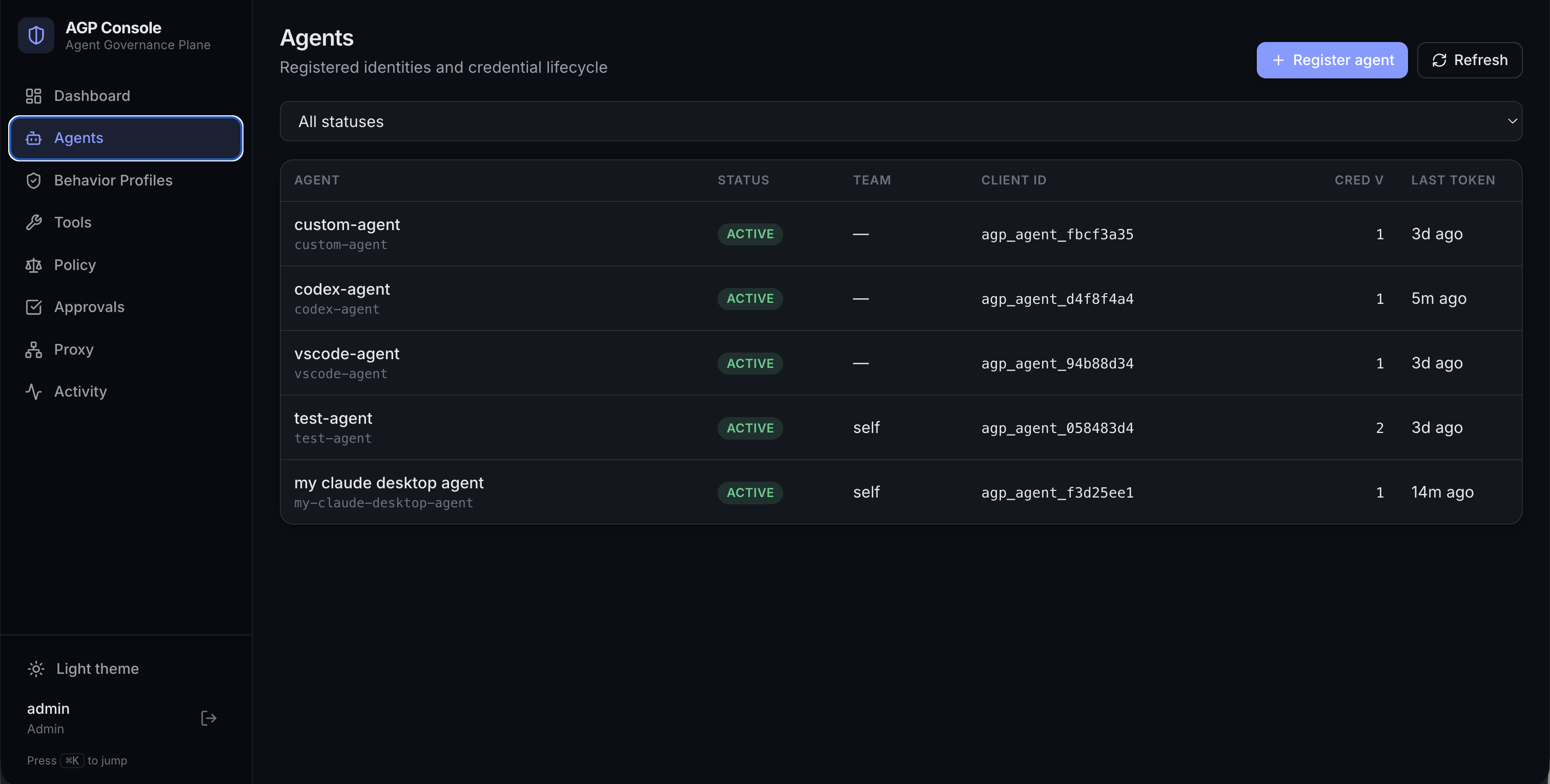
The Agents view is per-agent identity and credential lifecycle — real identities instead of shared tokens. Here's the my-agent you created with agp setup.
4. Grant read-only access
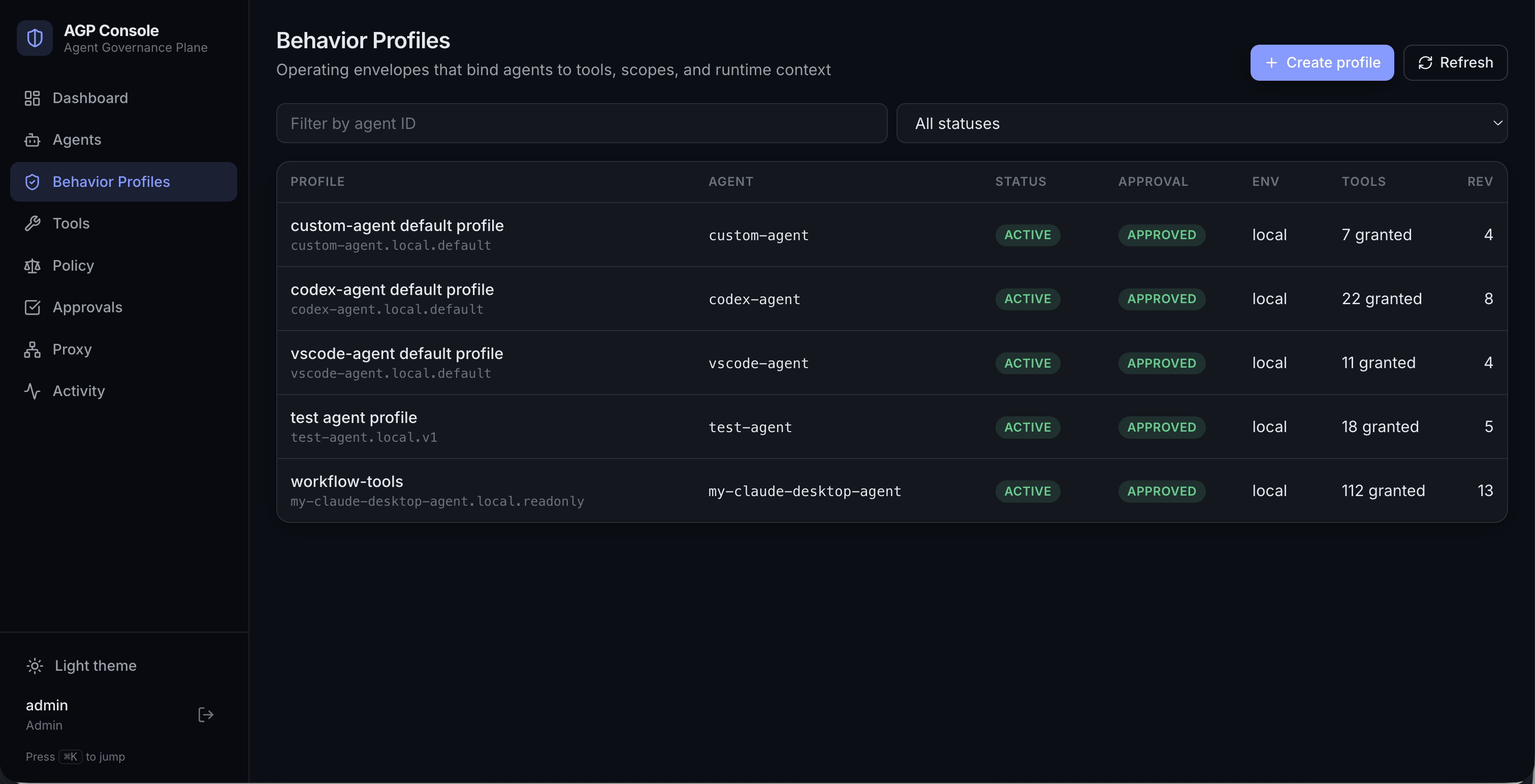
An agent sees nothing until you grant it. Open Behavior Profiles → my-agent.local.default and grant the read tools — or from the CLI:
agp behavior-profile grant-tools \
  --behavior-profile-id my-agent.local.default \
  --tools car-db-ops__list-reservations,car-db-ops__read-reservation \
  --reason "read-only access for the reservations demo"
The profile is the agent's fail-closed envelope — it can only see and call exactly what's listed here.
Within one bridge poll interval, the agent sees the two new tools (How tool visibility works).
5. A read call — allowed
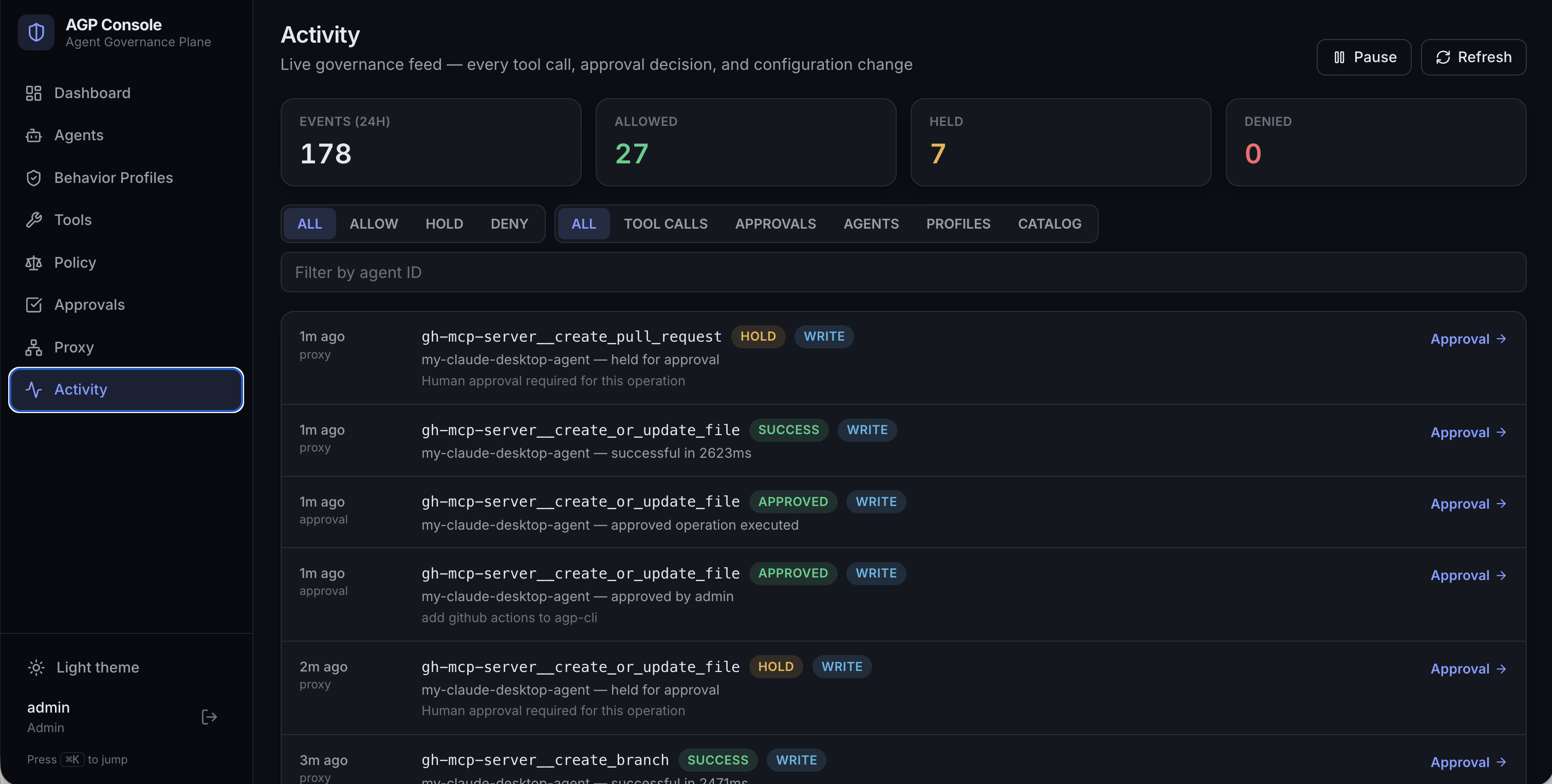
Ask the agent (in your connected client) to list reservations. It's a read, so policy allows it immediately and the result flows back. Every call lands in the Activity feed — the live governance record of each tool call, approval decision, and operator change, marked allowed / held / denied.
6. A write or delete call — held for approval
Now ask the agent to change something rather than just read it — for example delete a reservation (assuming you've also granted car-db-ops__delete-reservation). This time the call does not execute. Anything that isn't a plain read — a write, a delete, an execute — is treated as risky and held: the agent receives a POLICY_HOLD, and a pending entry appears in the Approvals queue with its risk tier.
The Approvals queue is the single review point for every held operation, across all your governed servers. Below it's populated with another agent's GitHub write operations — creating a pull request, creating or updating a file, creating a branch, pushing files — each classified MEDIUM or HIGH and waiting on a reviewer. Your held delete-reservation would land in exactly the same queue.
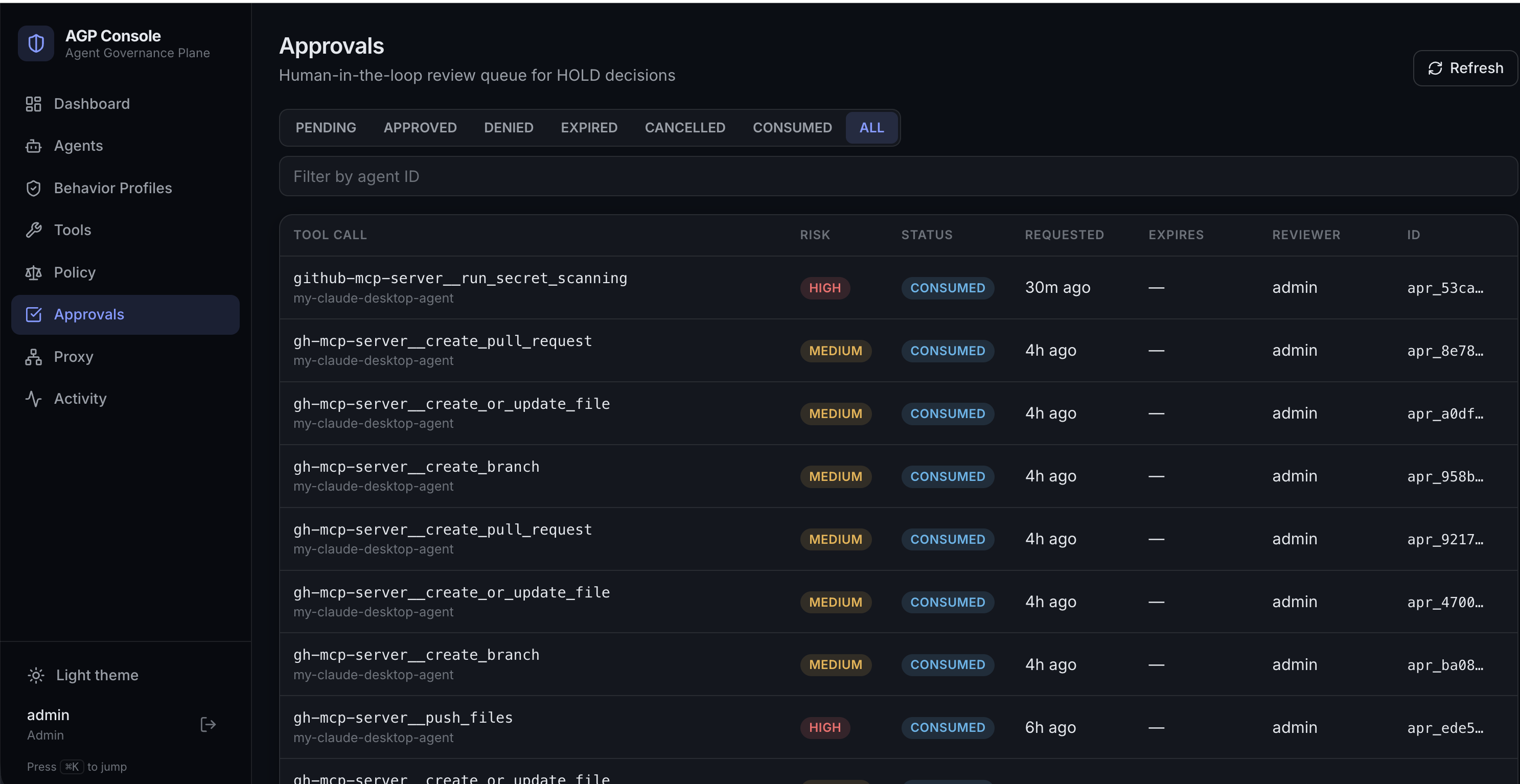
You approve (or deny) each with a reason — here or from the CLI:
agp approval list --status PENDING
agp approval approve --approval-id <id> --reviewer you --reason "confirmed safe to delete"
On approval, the held operation proceeds and the real result returns to the agent. (An agent can also drive its own approved operation forward with the approval-proceed meta-tool — see The approval workflow.)
7. The whole story is in the audit trail
Back in Activity — and queryable from the CLI — you now have the complete record: the read that flowed, the delete that held, who approved it and why, and the delete that finally executed.
agp audit list-events --tool-name car-db-ops__delete-reservation
agp audit summary
That's the loop, end to end: registered → granted → read allowed → delete held → approved → executed → audited — every step decided by infrastructure the agent can't route around, and recorded by the enforcement layer itself.
Where to go next
- Behavior profiles & granting tools
- The approval workflow
- Debugging when something doesn't behave