Connect OAuth MCP servers (connectors)
Many hosted MCP servers — Notion, Slack, GitHub, and most SaaS-backed servers — protect their endpoint with OAuth: your organization consents once, and the server issues tokens scoped to that consent. A connector is how AGP governs these servers. It holds the OAuth client configuration and the credential lifecycle for one remote MCP server, so that:
- Consent happens once, driven by an admin from the console — not per-agent, not per-session.
- Tokens live inside AGP (envelope-encrypted at rest). Agents never see them; the proxy injects a runtime credential at call time.
- Revocation is a first-class operation. Disconnecting a connector purges the credential and best-effort revokes it at the provider — every tool behind it fails closed immediately.
If your MCP server uses a static credential instead (API key, bearer token), you don't need a connector — see Govern your first MCP server. Connectors are for servers that require an OAuth consent flow.
What happens when you add a connector
You supply two things: a short name and the server's MCP endpoint URL. AGP does the rest:
- Discovery. AGP fetches the server's protected-resource metadata (RFC 9728) to learn which authorization server protects it and which scopes it advertises, then fetches that authorization server's metadata (RFC 8414 / OIDC discovery) for the authorize, token, and registration endpoints.
- Client registration. If the provider supports Dynamic Client Registration (RFC 7591), AGP registers its own OAuth client automatically — you never create an app or copy a client ID. If not, you paste in the client ID/secret of an app you registered at the provider.
- Consent. Your browser opens the provider's consent screen. You approve; the provider redirects back to AGP's single callback endpoint; AGP exchanges the code (PKCE) and seals the tokens.
- Tool discovery. AGP connects to the now-authorized MCP server, discovers its tools, and lets you select which to register — each with an operation fact (
read/write) that policy uses later. Registered tools land in the catalog under the connector's name:notion__notion-search,notion__notion-create-pages, and so on.
From there it's the normal governance path: grant the tools to a behavior profile, and policy decides what flows, holds, or is denied.
No agent participates in consent, holds a token, or can read one. At call time the proxy asks the connectors service for a runtime credential bound to that connector and injects it server-side. A fully compromised agent has nothing to exfiltrate.
Walkthrough: Notion, with zero app registration
Notion's MCP server supports Dynamic Client Registration, which makes it the shortest possible path — you will not create an app, copy a client ID, or handle a secret at any point.
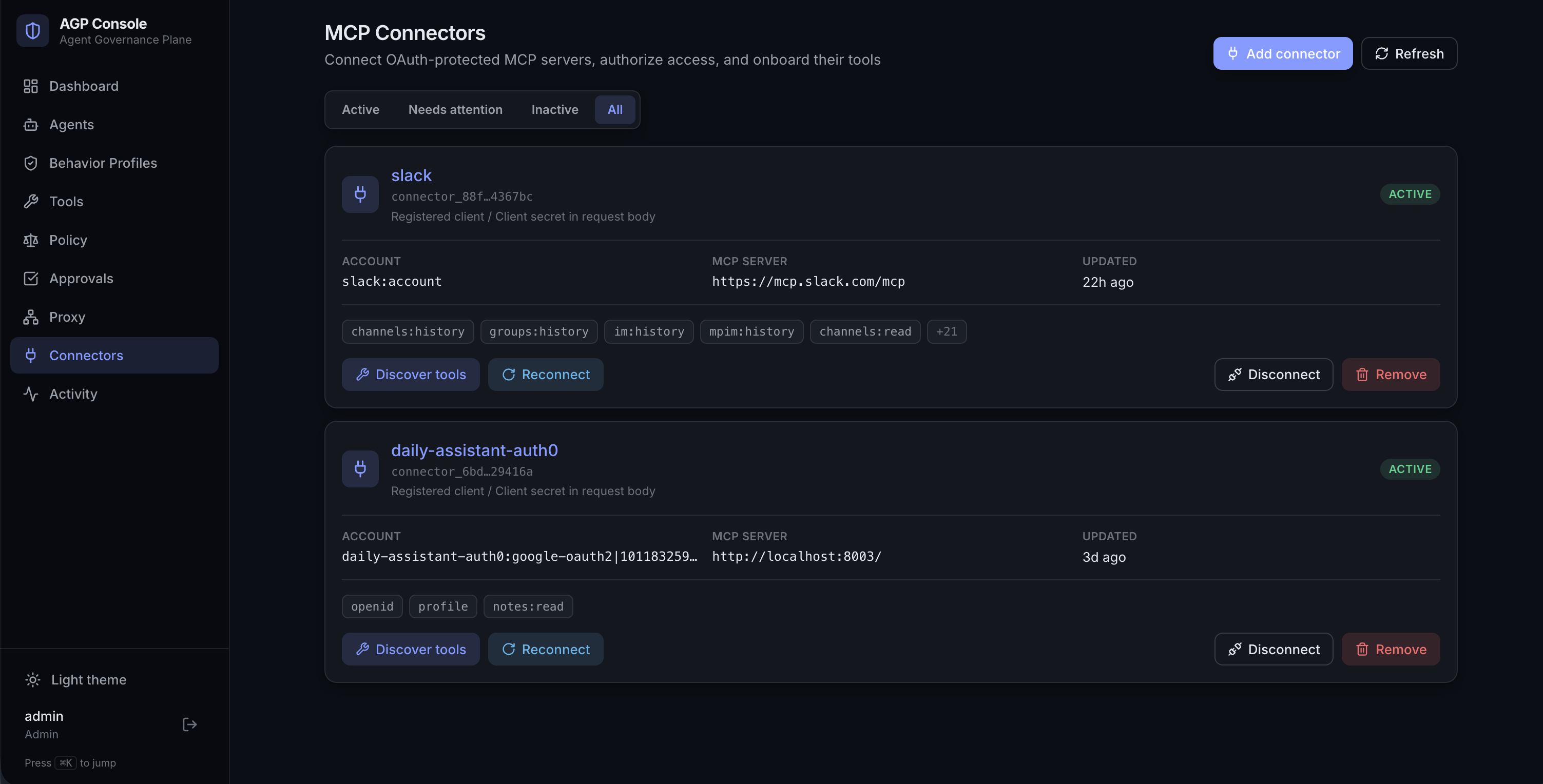
Open Connectors in the console and click Add connector.
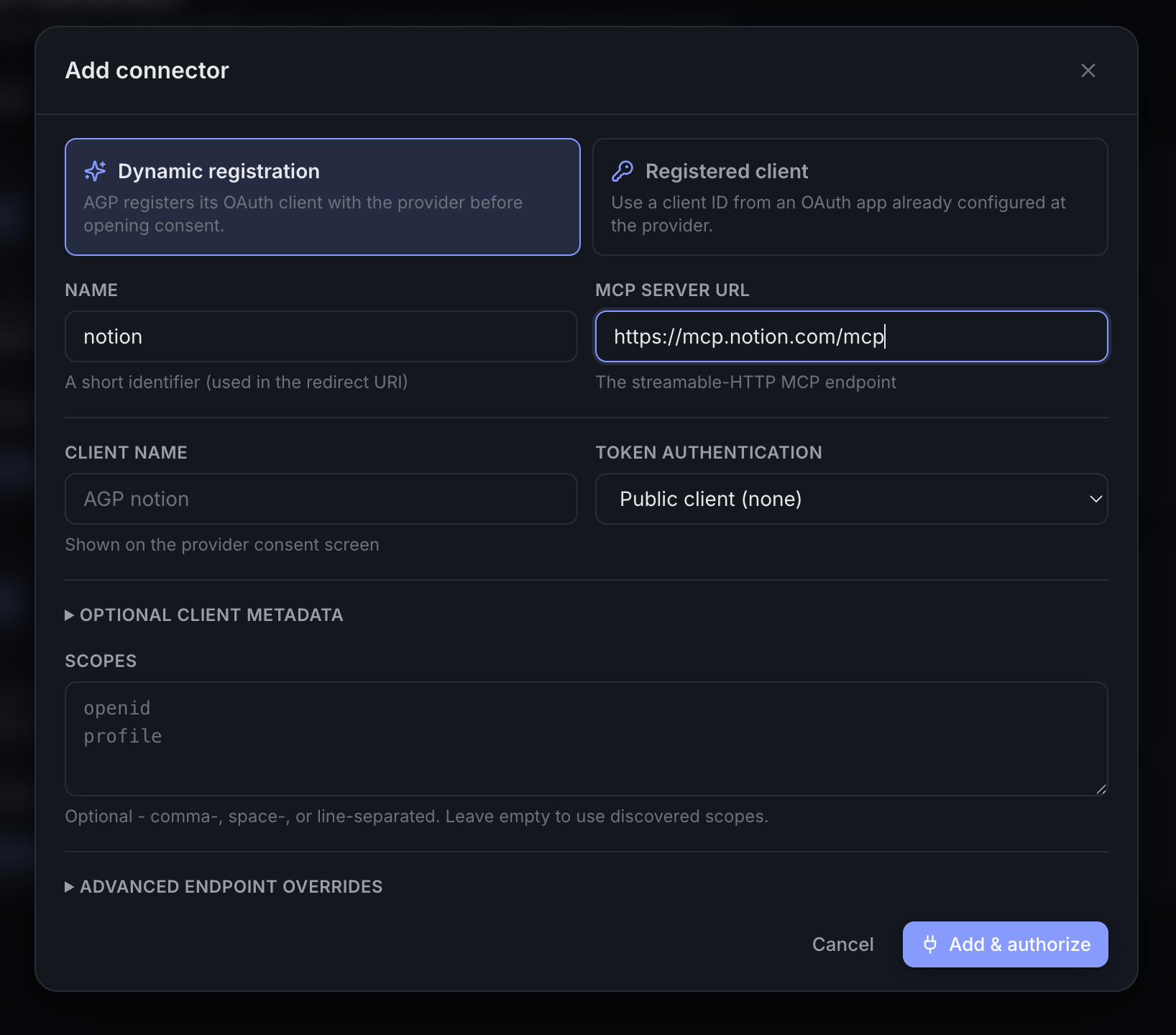
Fill in the two required fields and keep Dynamic registration selected:
- Name:
notion— a short identifier; it becomes the tool prefix and appears in the redirect URI. - MCP Server URL:
https://mcp.notion.com/mcp— the streamable-HTTP MCP endpoint. - Client name (optional): what shows on Notion's consent screen — defaults to
AGP notion. - Scopes (optional): leave empty to use the scopes the server advertises during discovery.
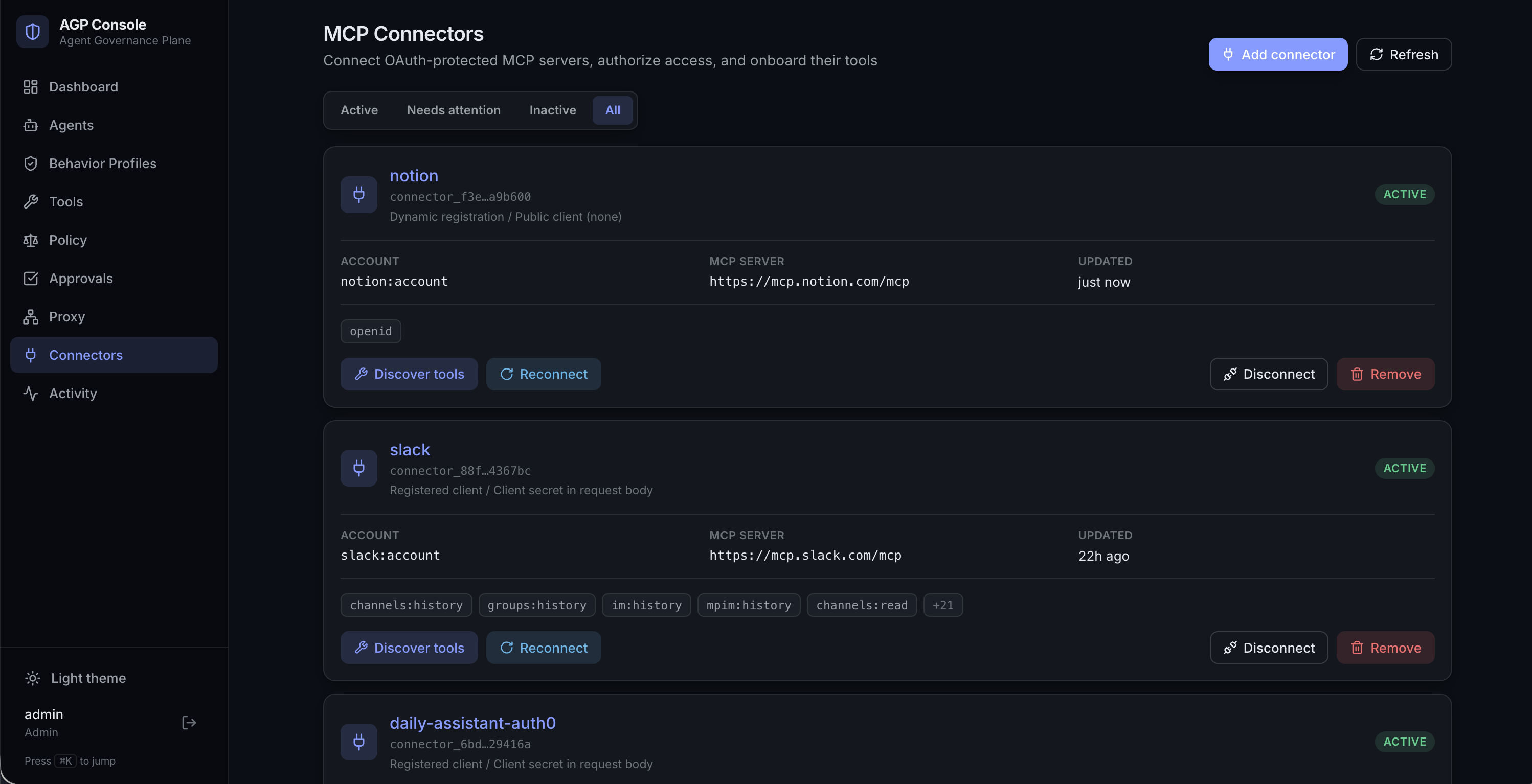
Click Add & authorize. AGP runs discovery, registers itself as an OAuth client with Notion via DCR, and opens Notion's consent screen in a new tab. Approve it there, pick the workspace, and return — the Connectors page refreshes automatically when you come back and the card flips to active, showing the authorized account and the granted scopes.
The same flow from the CLI:
agp connectors add \
  --name notion \
  --mcp-server-url https://mcp.notion.com/mcp \
  --dcr
The command prints the consent URL; finish authorization in the browser.
Slack is the contrast case: it has no dynamic registration, so you first create a Slack app at api.slack.com to get a client ID and secret, then choose Registered client in the Add connector form (or pass --client-id / --client-secret / --token-auth-method client_secret_post on the CLI). Everything after that — consent, custody, lifecycle, tool discovery — is identical. DCR just removes the app-registration step.
Inspect the connector
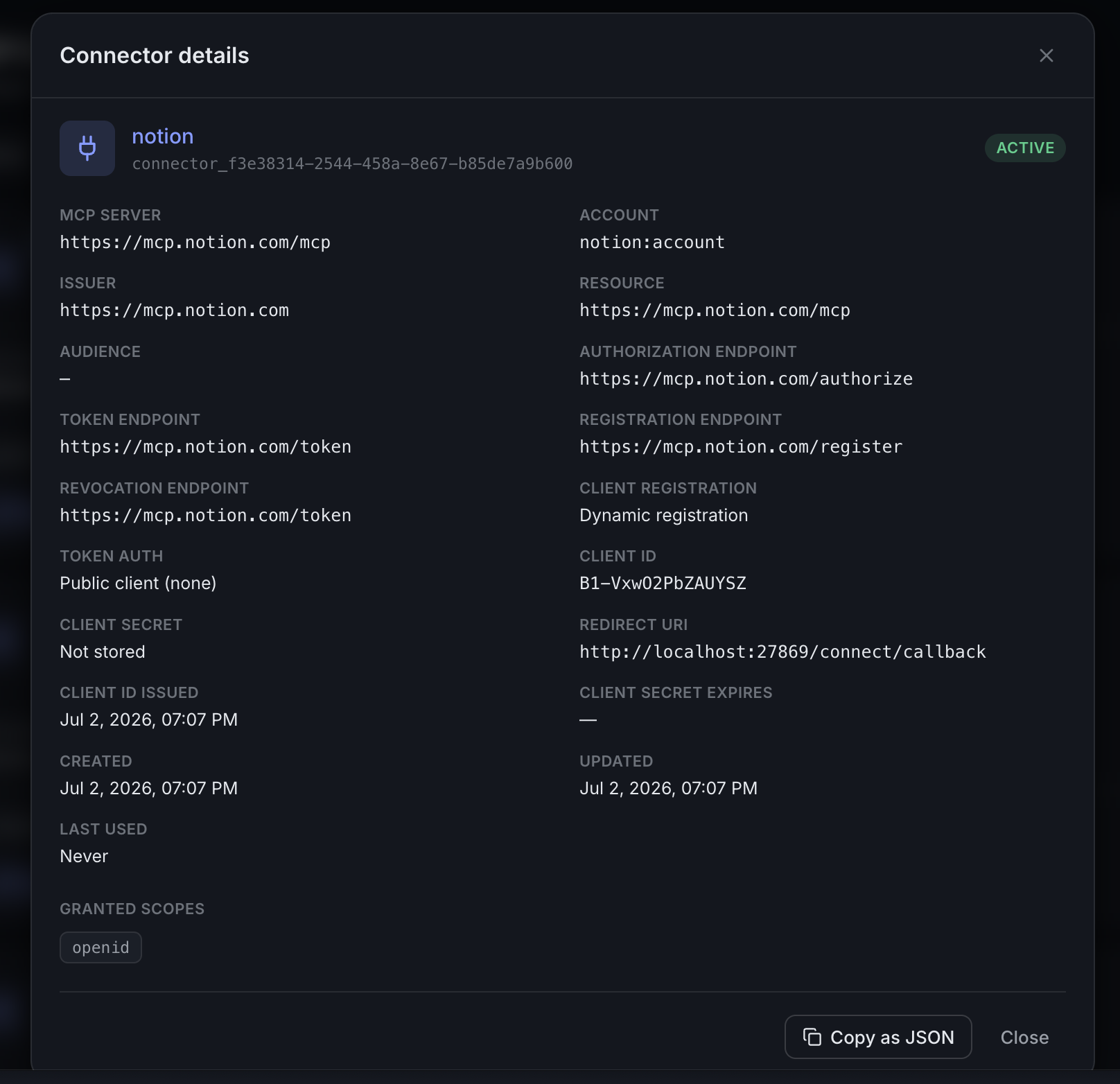
Click the connector's name to open its details: the discovered issuer and endpoints, the DCR-issued client ID, whether a client secret is stored (sealed — the console only ever shows that it exists), the redirect URI, granted scopes, and timestamps including last use. Copy as JSON captures the same view for tickets or diffs.
Bring the tools into governance
On the active card, click Discover tools. AGP connects to the authorized server and enumerates everything it exposes — for Notion, 19 tools. You choose what enters the catalog, and each tool carries an operation fact (read / write) that AGP pre-classifies and you can adjust; policy and approvals key off these facts later. The server alias (prefilled with the connector name) becomes the prefix on every registry name: <alias>__<tool>.
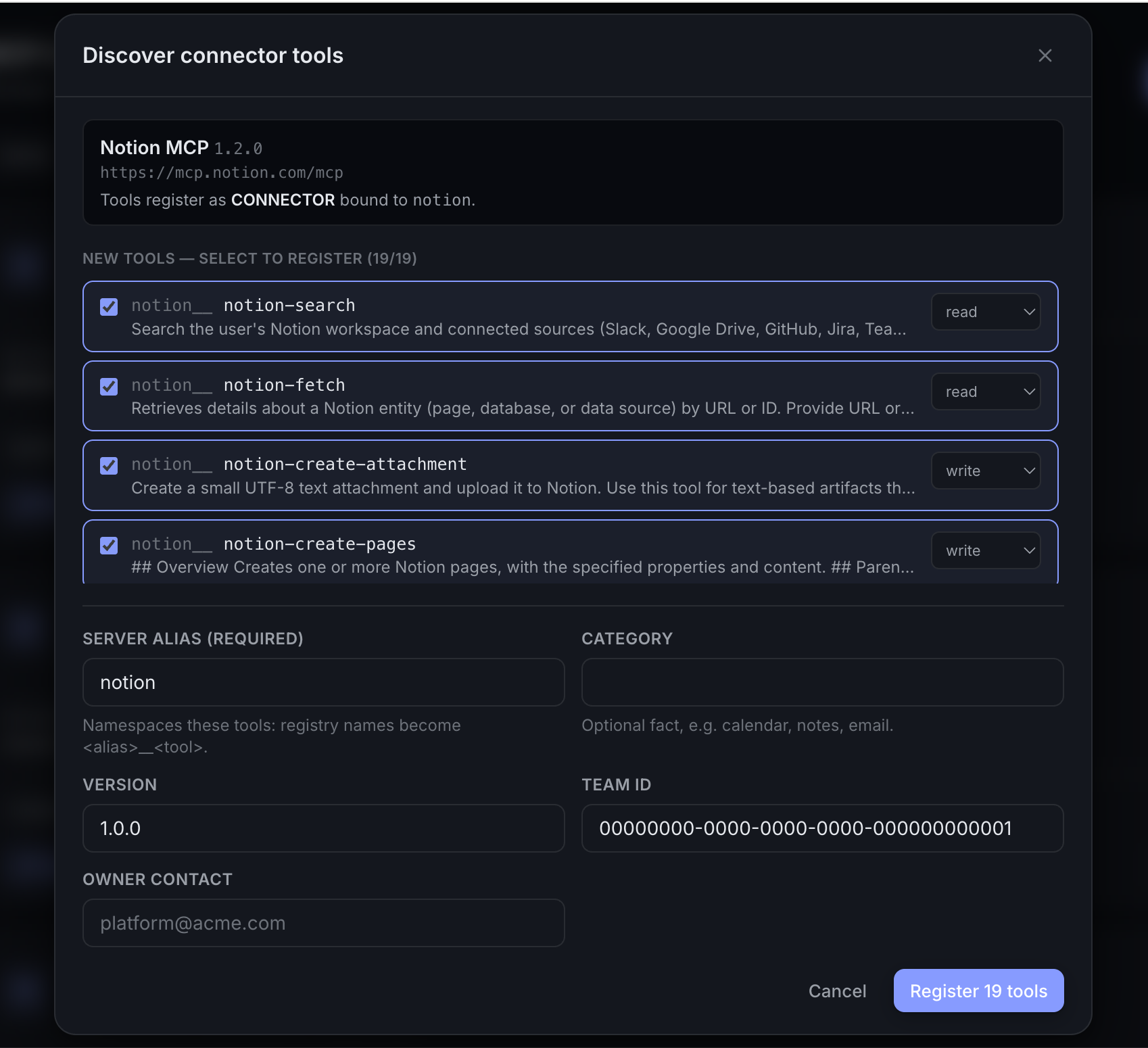
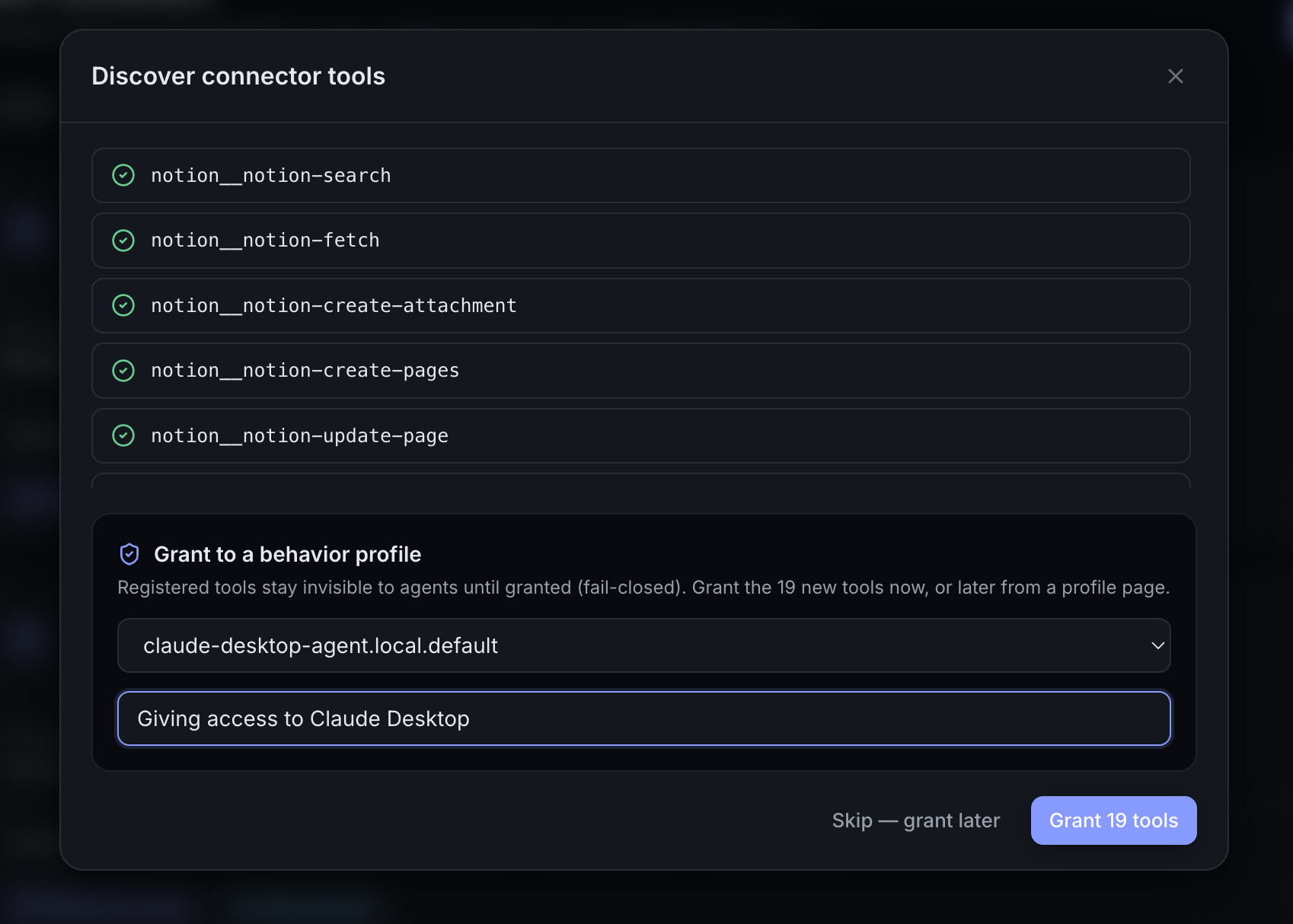
Click Register 19 tools (or however many you selected). The same dialog then offers the last mile: grant the newly registered tools to a behavior profile right there, with a reason for the audit trail — or Skip — grant later and do it from the profile page. Registered tools stay invisible to every agent until granted (fail-closed), so registering is always safe.
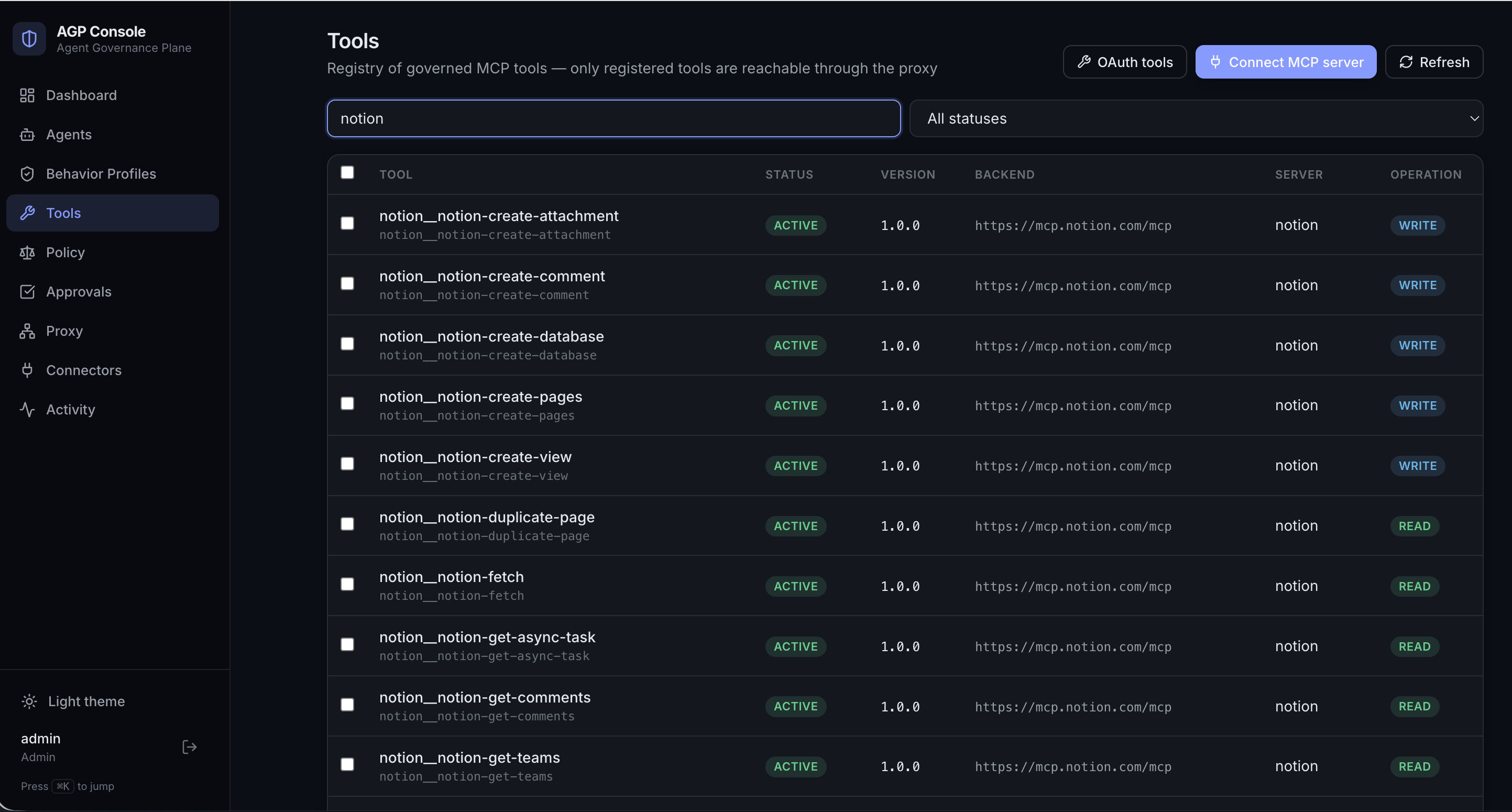
The catalog now shows the Notion tools as governed registry entries — status, version, backend URL, server alias, and operation fact — reachable only through the proxy, only for agents whose profile grants them (how visibility works):
Grant the subset each agent identity actually needs — profiles are cheap; over-broad grants are not.
What the agent sees
The whole point, from the agent's side: ask a connected client (here, Claude Desktop) to list its Notion tools, and it simply has them — served through the AGP proxy like any other MCP tools.
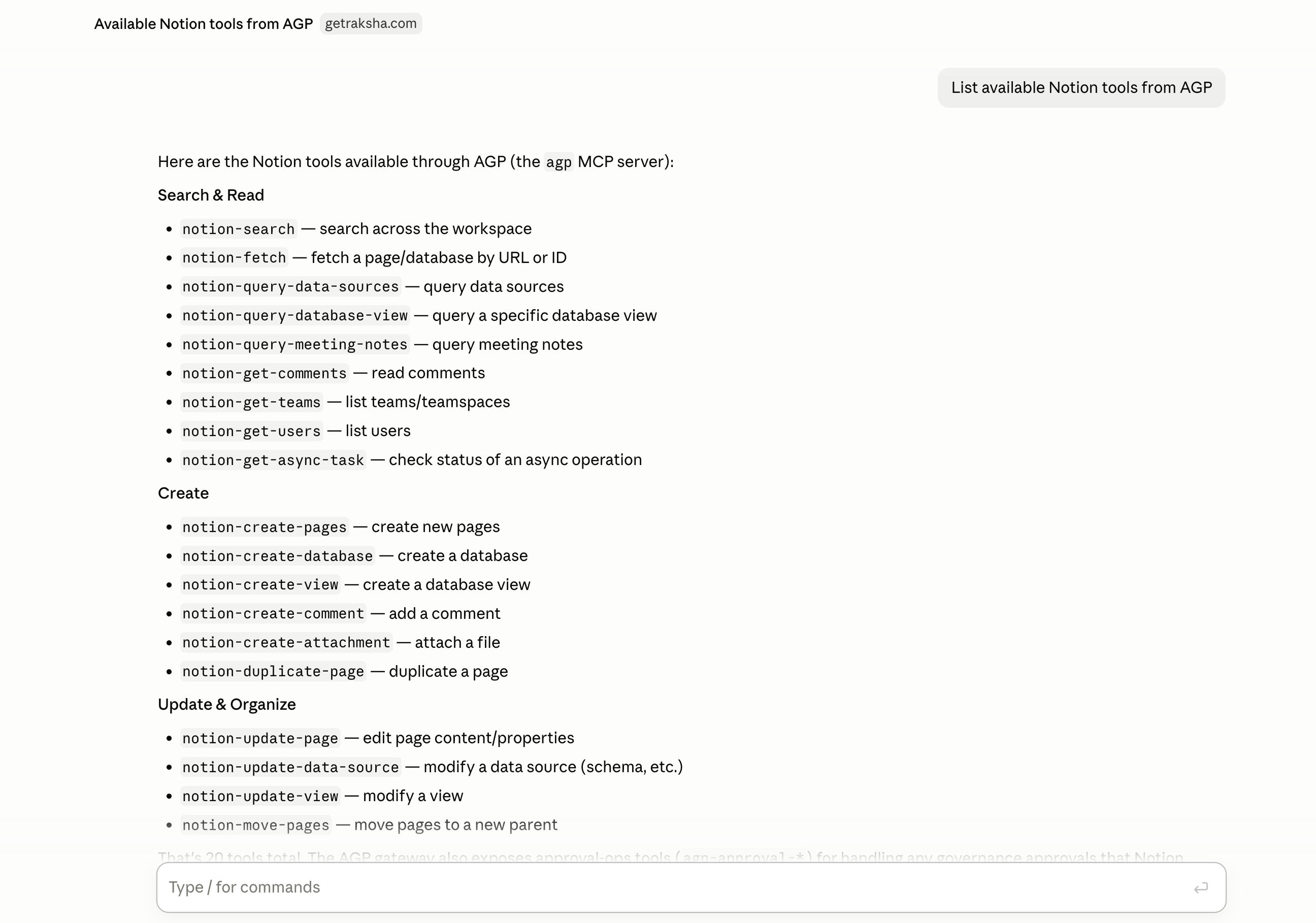
The agent never saw a consent screen, never held a token, and doesn't know a connector exists. It sees exactly the subset its behavior profile grants — nothing else (how visibility works) — and every call it makes with these tools flows through policy, approvals, and audit like everything else AGP governs.
Lifecycle: disconnect, reconnect, remove
Connectors are built around one stable connection whose lifecycle you control:
| Action | What it does | Reversible? |
|---|---|---|
| Disconnect | Purges the usable credential and best-effort revokes it at the provider. Every tool backed by this connector fails closed until you reconnect. | Yes — reconnect re-runs consent on the same connection identity. |
| Reconnect | Starts a fresh consent flow for an existing connector (also the fix for reauth_required / expired). | — |
| Remove | Permanently deletes the connector from operational state, revoking first if active. The console requires typing the connector's name to confirm. The audit log retains the history. | No — re-adding means a fresh connector and consent. |
agp connectors disconnect --name notion
agp connectors reconnect  --name notion
agp connectors remove     --name notion
Disconnect is the credential-layer kill switch: unlike suspending a profile or yanking a registry entry (which enforce at the proxy), it destroys the standing authority itself — so it holds even for traffic that never touches AGP.
Connection status at a glance
The Connectors page filters by state — Active, Needs attention, Inactive, All:
| Status | Meaning | Your move |
|---|---|---|
active | Credential valid; tools can be served. | — |
reauth_required | Token refresh failed. | Reconnect. |
expired | Token expired with no usable refresh token. | Reconnect. |
error | Consent or token state is unrecoverable. | Reconnect; check the audit log. |
disconnected | Deliberately disconnected; credential purged. | Reconnect when needed. |
Advanced: overrides for stubborn providers
Discovery covers well-behaved providers. For the rest, the Advanced endpoint overrides section (and matching CLI flags) lets you correct or supply what discovery can't — every field left blank still uses discovery; every field you fill is a true override, not a fallback:
- Audience — for Auth0/Okta-style tenants that need an explicit
audienceparameter to issue a correctly-audienced token. - Resource — overrides the discovered RFC 8707 resource indicator.
- Issuer / Authorization / Token / Registration / Revocation endpoints — register a server whose metadata is missing or wrong.
- Scopes — replace the server-advertised scopes entirely (comma-, space-, or line-separated).
agp connectors add \
  --name internal-api \
  --mcp-server-url https://mcp.internal.example.com/mcp \
  --client-id "$CLIENT_ID" --client-secret "$CLIENT_SECRET" \
  --token-auth-method client_secret_post \
  --audience https://mcp.internal.example.com \
  --scopes "read:records write:records"
How this stays safe
- Secrets are sealed. Client secrets and tokens are envelope-encrypted (AES-256-GCM) at rest, opened only for the token exchange, and zeroed after use. Nothing is logged in plaintext.
- One fixed callback. Every connector shares a single
/connect/callbackredirect; the connector is recovered from the signed OAuthstate(10-minute TTL, PKCE-bound) — never from the URL path. - Custody stays with AGP. Agents get tool results, not tokens. Revoking the connector revokes every agent's access to that server at once, at the provider.